
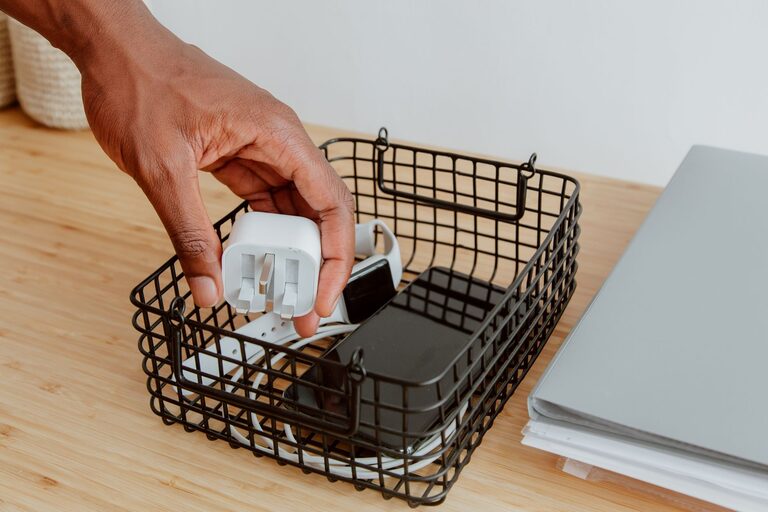
Keeping cables and chargers organized can make a desk, nightstand, or entertainment area look cleaner and work better. When cords are tangled, it can be difficult to find the right charger, unplug a device, or identify which cable belongs to which piece of equipment.
The good news is that cable organization does not require expensive equipment or complicated systems. With a few basic supplies and a little planning, you can create a setup that is neat, easy to maintain, and convenient to use.
Start by Sorting Everything
Before buying organizers, gather all the cables and chargers in one place. Check desks, drawers, bags, closets, and power outlets. You may find that cables are spread across several areas of your home.
Lay everything out and separate items into groups such as:
– Phone and tablet chargers
– Computer and monitor cables
– Audio and video cables
– Camera and gaming cables
– Extension cords and power strips
– Cables you rarely use
– Cables that are damaged or no longer needed
This first step helps you see what you actually own. It also prevents you from buying another cable simply because the one you need is hidden in a drawer.
Test Unfamiliar Cables
If you are unsure what a cable does, test it with a compatible device or inspect its connectors. Avoid keeping cables that are frayed, split, bent near the plug, or showing exposed wires. Damaged cords can be unreliable and may create a safety concern.
Set aside cables that you cannot identify. If you do not use them after a reasonable period, consider recycling them through an electronics collection program.
Reduce What You Keep
Cable organization becomes much easier when you have fewer cables to manage. Keep the items you use regularly and store occasional-use cables separately.
You may be able to remove duplicates, especially if several cables perform the same function. However, keep a few useful extras if you regularly travel or use devices in different rooms.
A simple system is to divide cables into three categories:
- **Daily use:** Cables that stay connected or are used often.
- **Occasional use:** Cables needed for travel, projects, or seasonal devices.
- **Backup or replacement:** Extra items kept for convenience.
This approach avoids both extremes: keeping every cable and throwing away items you may need later.
Use the Right Cable Management Tools
Different organizers work best in different locations. Choose tools based on how often you use the cable and whether it needs to move.
Useful options include:
– Reusable hook and loop ties: Good for bundling cables without tightly squeezing them.
– Cable clips: Helpful for keeping charging cables in place on a desk or nightstand.
– Cable sleeves: Useful for grouping several cords that run in the same direction.
– Small storage boxes: Great for loose cables, adapters, and accessories.
– Drawstring pouches: Convenient for travel or portable electronics.
– Cable labels: Make it easier to identify cords at a glance.
– Adhesive cord holders: Keep frequently used cables from falling behind furniture.
Avoid using permanent knots or wrapping cables too tightly. Tight bends can damage the cable over time, especially near the connector.
Organize Cables by Location
Instead of storing every cable in one large box, create small groups based on where they are used. Location-based storage makes it faster to find what you need.
For example, you might create these storage areas:
Desk Cable Kit
Keep computer chargers, USB cables, monitor cords, and backup adapters near your workspace. A small box or drawer organizer can prevent them from spreading across the desk.
Use clips to guide frequently used cables along the back or edge of the desk. This keeps connectors within reach and prevents them from sliding onto the floor.
Living Room Cable Kit
Store television, streaming device, speaker, and game controller cables together. A labeled container near the entertainment center can make setup and troubleshooting easier.
If several cords run from the same area, use a sleeve or a few reusable ties to group them. Leave enough slack so that devices can be moved without pulling on the connections.
Travel Cable Kit
Keep a small pouch packed with your most useful travel items. Depending on your needs, this could include a phone charger, charging cable, power adapter, and a compact extension cord.
A dedicated travel kit saves time and reduces the chance of forgetting an important cable. Return the items to the pouch after each trip so it stays ready.
Label Both Ends of Important Cables
Labels are especially useful when several cables look alike. Label both ends of a cord so you can identify it even when it is plugged in or running behind furniture.
You can use:
– Small adhesive labels
– Colored tape
– Clip-on tags
– Writable cable markers
– Simple paper labels attached with a loop
Write clear descriptions such as “monitor,” “desk lamp,” “router,” or “tablet charger.” If a cable belongs to a specific device, include the device name rather than only writing “USB cable.”
Color coding can also help. For example, use one color for computer equipment, another for entertainment devices, and a third for travel cables. Choose a system that is easy to remember and apply consistently.
Manage Cables Around a Desk
A desk can quickly become cluttered because many devices share the same power source. Start by deciding where each device should sit. Then route the cables from the power strip to the devices using the shortest practical path.
Helpful desk habits include:
– Place the power strip where it is accessible but not in the middle of the floor.
– Use clips to keep charging cables near the front edge of the desk.
– Bundle only cables that travel in the same direction.
– Keep power cords separate from loose accessory cables when possible.
– Leave a small amount of slack near each device.
– Store rarely used cables in a drawer instead of leaving them connected.
A cable tray mounted under or behind the desk can also keep power adapters and excess cord length off the floor. If you use an adhesive organizer, clean and dry the surface before applying it, and allow it to set according to the product instructions.
Keep Chargers Together but Not Tangled
Chargers often include a power adapter and a separate cable. Store matching pieces together so you do not have to search for both parts.
You can wrap the cable loosely around the adapter or secure it with a reusable tie. Another option is to place each charger in a small pouch or compartment. Avoid winding cords sharply around the adapter, as this can place stress on the cable.
For a drawer, use small boxes or dividers to create separate sections. One section might hold phone chargers, another might hold larger laptop adapters, and another might hold extra cables.
Hide Cables Without Making Them Hard to Reach
A tidy space should still be practical. Do not hide cables so thoroughly that you cannot access them when needed.
For visible cords, try these simple methods:
– Run cables along the back edge of furniture.
– Use matching clips to keep cords aligned.
– Place a decorative box near a power strip to contain excess length.
– Route cords behind a desk or media console.
– Keep frequently used charging points close to where devices are placed.
– Secure loose cords to the underside or rear of furniture.
Do not cover power adapters with fabric or place them where heat cannot escape. Keep plugs and outlets accessible, and avoid overloading a power strip.
Create a Simple Maintenance Routine
Cable organization works best when it becomes a habit. Once a month, take a few minutes to return loose cables to their assigned locations. Remove items that are broken, outdated, or no longer useful.
When buying a new device, decide immediately where its charger and cable will be stored. Label unfamiliar items before putting them away. After traveling, unpack the cable pouch and return everything to its regular place.
A few small habits can prevent a large pile from building up again:
– Untangle cables before storing them.
– Keep one storage location for each category.
– Return chargers after use.
– Replace damaged cables promptly.
– Avoid keeping unknown cables indefinitely.
– Review your collection every few months.
With a clear sorting system, suitable organizers, and regular maintenance, cables and chargers can stay neat without taking much time. The result is a cleaner space and a setup that is easier to use every day.